Before and After: What RAW Editing Does to a Surf Photo
Published 6 July 2026
Most people who buy surf photos are buying the edited version. But very few non-photographers understand what "edited" actually means — what changes between the raw file and the finished image, and what that means for the photo they're buying.
This article is for surfers who are curious about the process, and for photographers who want to explain their workflow clearly.
What a RAW file actually is
When a camera shoots in RAW format (as opposed to JPEG), it records the raw sensor data — all the information captured by the camera's sensor without any in-camera processing applied. This is a larger file (typically 20–50MB per photo) that requires software to open and process.
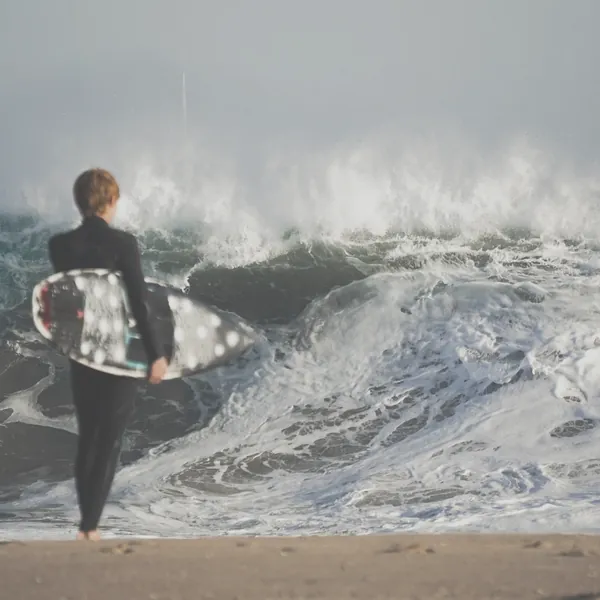
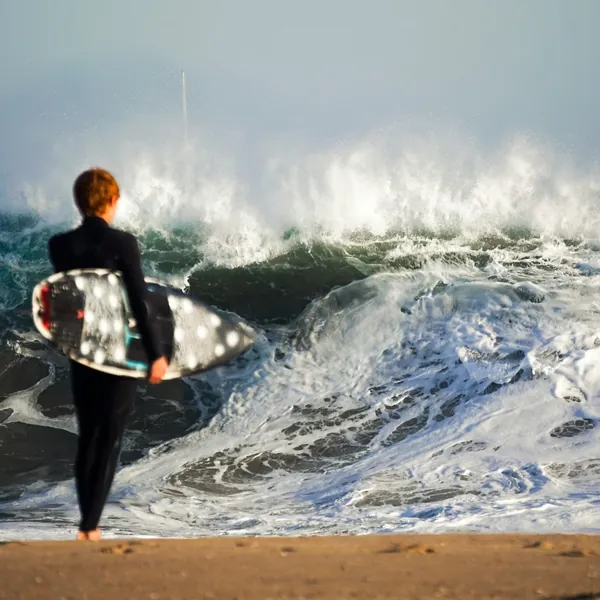
A RAW file straight from the camera looks flat, slightly dull, and often under- or over-exposed. This isn't a flaw — it's intentional. The extra data in the RAW file gives editors the latitude to make decisions that would be locked in if the camera processed a JPEG directly.
A JPEG, by contrast, is already processed. The camera has made decisions about colour, contrast, sharpness, and noise reduction. You can edit it further, but with less flexibility and more quality loss.
Almost all professional surf photography is shot in RAW.
What editing changes
Exposure
The most fundamental adjustment. A RAW file that looks slightly underexposed — protecting the highlights from blowing out in bright ocean light — can be lifted in post to show the full tonal range. Lightroom's exposure, shadows, and whites sliders allow precise control that simply isn't available with JPEG.
In practical terms: that photo where the surfer looks a bit dark against a bright wave? Often fixable in a RAW edit. Less fixable or not fixable if shot as JPEG.
Colour
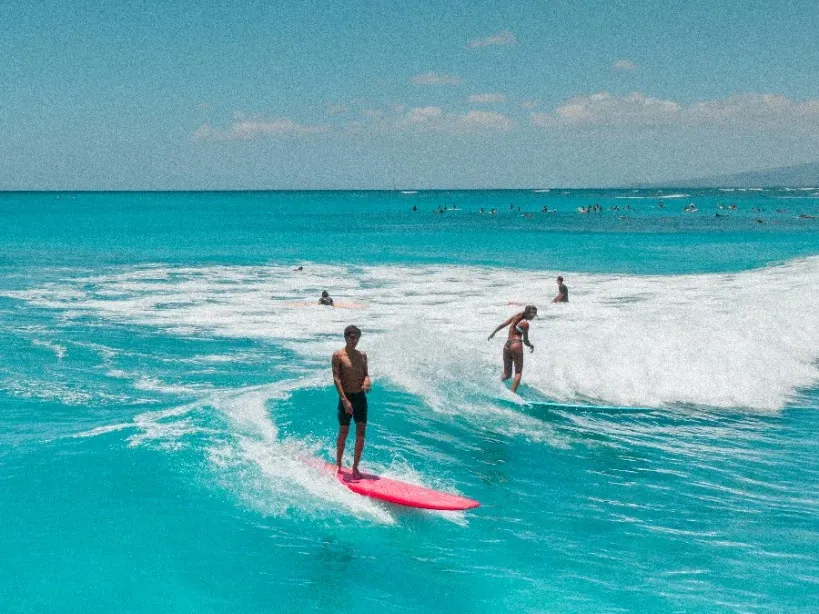
RAW editing allows full control over colour temperature (warmth/coolness), individual colour channels (how green, blue, or orange the image is), and colour grading (adding specific tones to shadows and highlights).
This is where a photographer's visual style is largely created. The warm, slightly teal-and-orange colour grade that's common in contemporary surf photography? That's an intentional post-processing choice, not something the camera produces automatically.
Contrast and detail
Adjusting contrast changes how much difference there is between the darks and lights in an image. More contrast typically makes a photo feel more dramatic and punchy; less makes it feel soft or flat.
Clarity and texture adjustments affect the micro-contrast — the detail and sharpness of specific areas. Adding clarity to a water surface brings out the texture of the chop; adding texture to a breaking wave emphasises the spray droplets.
Noise reduction
At high ISO settings (used in low light), digital cameras produce "noise" — a graininess in the image. Lightroom's Denoise tool (particularly the AI-powered version) can significantly reduce this while preserving genuine detail. A photo shot at ISO 3200 in early morning light can often look completely clean after noise reduction.
Crop
The final crop changes the composition. Often the best crop of a surf photo is tighter than the full frame — removing distracting background elements and putting the surfer more prominently in the frame.
What editing cannot change
Sharpness. If a photo is blurry — out of focus, or motion-blurred from too slow a shutter speed — no editing fixes it. Lightroom's sharpening and clarity tools add apparent sharpness to an already-sharp image; they cannot recover genuine blur.
The decisive moment. If the best moment in a sequence wasn't caught in a frame — the barrel already closed, the spray already fallen — it's gone. Editing works on what was captured.
Fundamental composition problems. Cropping can improve composition, but it can't add elements that weren't in the original frame or reframe the shot in ways that weren't possible from the shooting position.
Lighting direction. You can adjust the colour and intensity of light in post, but you can't add directional shadows that weren't there. A photo shot in flat, overcast light will always have the character of flat, overcast light, even after significant editing.
The watermark layer
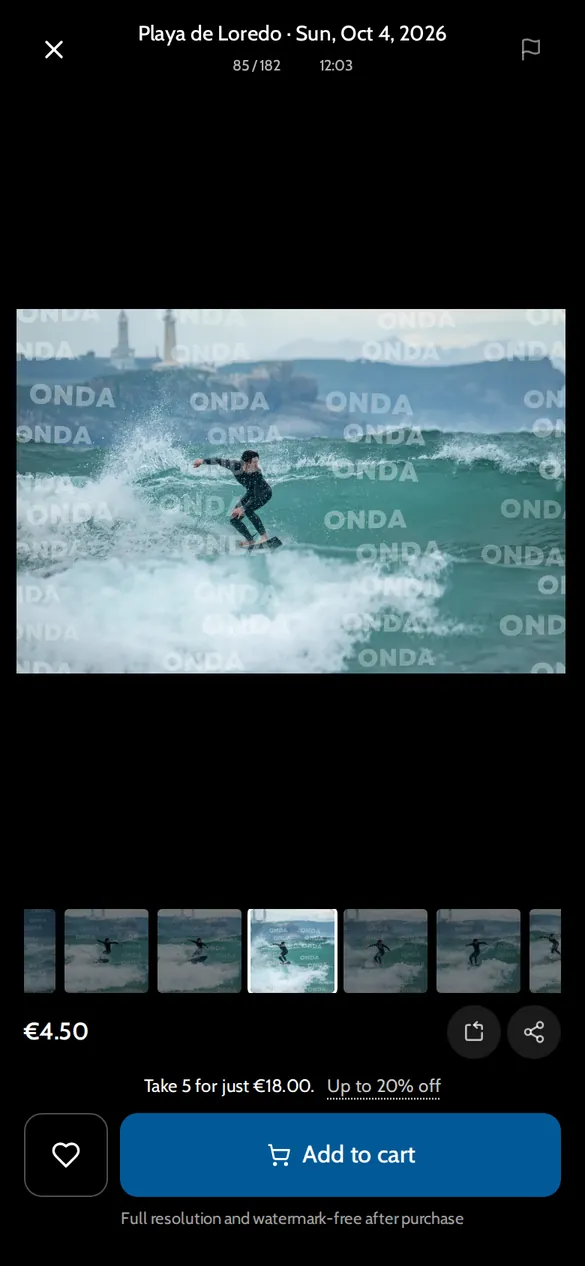
The watermarked preview you see in a gallery is the edited photo with a watermark overlay applied. The watermark is removed when you purchase — the downloaded file is the clean, full-resolution edit.
The editing visible in the watermarked preview is exactly what you'll receive in the purchased file. What you're buying is the editor's complete work, not just an unprocessed raw file.
Why the edit matters for what you're buying
When you buy a surf photo, you're buying:
- The moment the photographer captured
- The craft of their technical shooting (focus, timing, light)
- The edit — their visual interpretation of that moment
A photographer's edit is as much a part of their work as their shooting. The specific colour grade, the way they've handled the highlights on the wave, the contrast decisions — these are creative choices that reflect their visual identity.
This is part of why different photographers' photos of the same wave on the same day look different. Not just because they were standing in different spots, but because they see and process differently.
For the editing workflow itself, see our Lightroom editing guide. And for the camera settings that determine what your RAW file contains, check our settings guide.