How to Spot a Fake or AI-Generated Surf Photo
Published 3 August 2026
In 2024 you could tell most AI surf images at a glance. The fingers were wrong, the boards had no fins, the water looked like glass marble. Two years later, that game is harder. Diffusion models render water credibly, faces look correct, and an off-the-shelf tool produces a 4K "surf photo" in 30 seconds that fools casual viewers.
It still doesn't fool surfers. Or careful photographers. Or careful brand buyers, who have started caring because the legal and reputational cost of using a fake image is now real.
This guide is for anyone who buys, licenses, publishes, or just wants to know if what they're looking at is real. Seven specific things AI still gets wrong, plus the verification workflow we use on Onda.
Why AI surf photos are flooding Instagram in 2026
A few forces created the wave. The 2024–25 model jump (Stable Diffusion 3, FLUX, and the closed-model competitors) crossed the threshold for credible water rendering — the foam, spray, and refraction artefacts that used to give AI away are largely gone. Engagement-bait economics make it easy: a "perfect wave at sunset" image with no real photographer to credit gets the same algorithm boost as a real one, at zero production cost. And a growing number of stock-photo sites quietly mix AI-generated content with real photos, so buyers licensing commercial imagery sometimes don't realise they're licensing a generated image.
Many of the surf photos circulating in 2026 are not photos. Knowing how to tell matters.
Seven things AI still gets wrong
Examine in this order. The first three rule out 80% of fakes; the others catch the trickier ones.
1. Water spray patterns
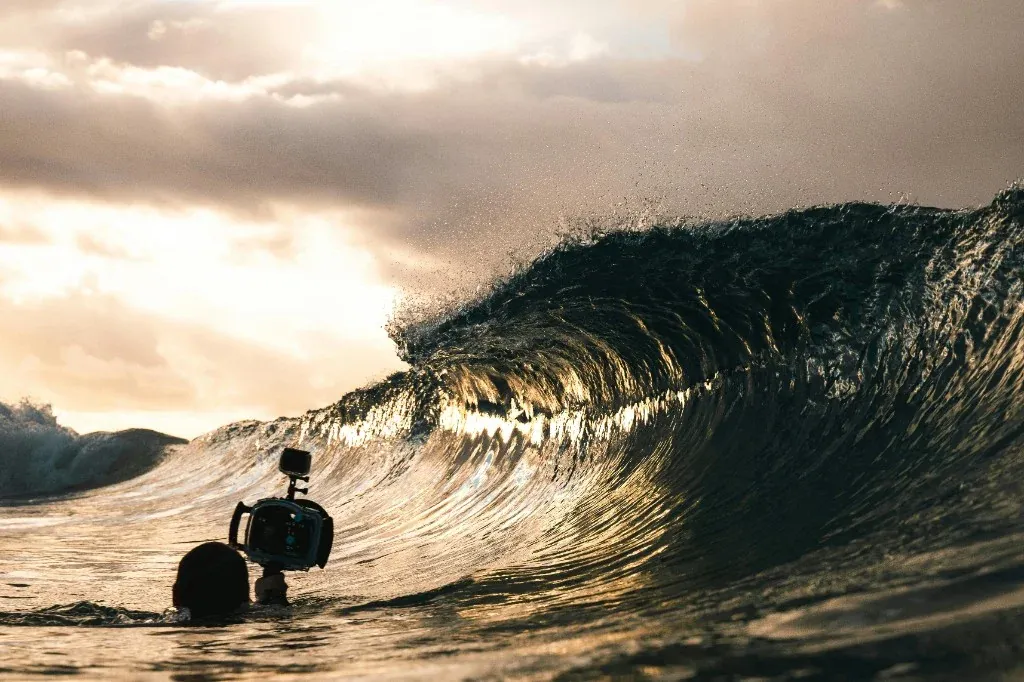
Real spray follows physics. A surfer's bottom turn throws spray in a fan, with droplets sized roughly inversely to their distance from the source. A breaking lip creates two distinct spray events: the initial throw forward, and the trailing curtain.
AI spray often looks like:
- Uniform droplet size across the entire spray plume
- Spray that fans symmetrically when the rider's motion is asymmetric
- Spray that exists where there's no source (water particles in air without a board edge or wave crest causing them)
Look at where spray is, where it isn't, and whether each cloud has a believable origin point.
2. Foam and white-water structure
Real white water has a fractal structure — large bubbles giving way to smaller ones giving way to spray. AI white water often looks like a single foam texture stretched and warped without that hierarchy. It can feel oddly painterly or marbled at high zoom.
Pinch zoom to 200%. Real foam has detail at every magnification. AI foam usually breaks down past 150%.
3. Fin geometry and number
Surfboards have fins. Specifically:
- 1 fin (single fin) — usually visible from behind
- 2 fins (twin) — symmetric pair near the tail
- 3 fins (thruster) — most common, two side fins plus a centre
- 4 fins (quad) — two pairs
- 5 fins (5-fin) — uncommon
AI sometimes generates boards with no fins, asymmetric fin counts (3 fins on one side, 2 on the other), or fins fused into the board surface. Quad and 5-fin setups especially confuse models.
If you can see the bottom of the board, count the fins and check they're geometrically reasonable.
4. Horizon line behaviour
The ocean horizon is a straight line — or, at the scale of a photograph, a very slight curve. AI horizons sometimes:
- Bend visibly within the frame (impossible)
- Disappear behind a wave that's geometrically too small to obscure them
- Have inconsistent colours between left and right halves of the frame
Trace the horizon line edge to edge. Does it stay consistent? Does it disappear logically?
5. Shadow direction
Every real photo has one sun. Every shadow in the frame should fall away from that sun in the same direction.
AI sometimes shows the surfer's shadow falling left while the wave's shadow falls right. Or a backlit silhouette with a shadowed face that's somehow also lit from the front. Check three light sources in the frame: surfer's body shadow, board shadow on the water, wave-face self-shadow. They should agree.
6. EXIF metadata
Every real photo from a camera carries EXIF data: camera model, lens, focal length, ISO, shutter speed, aperture, date, sometimes GPS. A photo with no EXIF, or EXIF that says "Stable Diffusion XL", is a strong signal.
Caveats: EXIF can be stripped (most social platforms do this on upload). EXIF can be faked (a tech-savvy AI publisher will inject plausible camera metadata). So no-EXIF doesn't prove fake; impossible-EXIF does.
If you can request the original file from the supposed photographer, do. Real photographers have it. AI publishers don't.
7. Board logos and brand graphics
Real surfboards have specific brand graphics. Channel Islands, Pyzel, Lost, Firewire, Stretch — each has visual language that real photographers recognise. AI generates plausible-looking board art that, on inspection, is gibberish: blurred logos, made-up brand names, decorations that don't match any real shaper.
If you're a surf-industry buyer, verify the board graphics. If it's not a real brand or athlete, it's probably not a real photo.
How to verify a photo's source
When a casual zoom isn't enough:
Reverse image search
Drop the image into Google Lens, TinEye, or Yandex (Yandex is often best for photos). Real photos usually have a trail — they appear on the photographer's portfolio, on a brand's account, in a publication. AI images often have no upstream — they appear on one or two AI-generated accounts and nowhere else.
EXIF tools
Free tools like jeffrey.exiftool.org will show full metadata. Look for:
- Date created vs date imported (real cameras stamp creation date at capture)
- GPS coordinates (when present, geolocate to verify the spot)
- Software field (real photos read "Lightroom Classic" or similar; AI sometimes reads "Stable Diffusion" or similar)
Source the photographer directly
If a brand or buyer is involved, ask: who took this? When? Where? A real photographer answers immediately and offers the RAW file. An AI publisher stalls.
Buy from a named photographer, not an anonymous feed
The strongest signal isn't a technical check — it's provenance. A photo that comes with a named photographer, a specific spot, a specific date, and a body of other work from the same session is far harder to fake than a single image on an anonymous account.
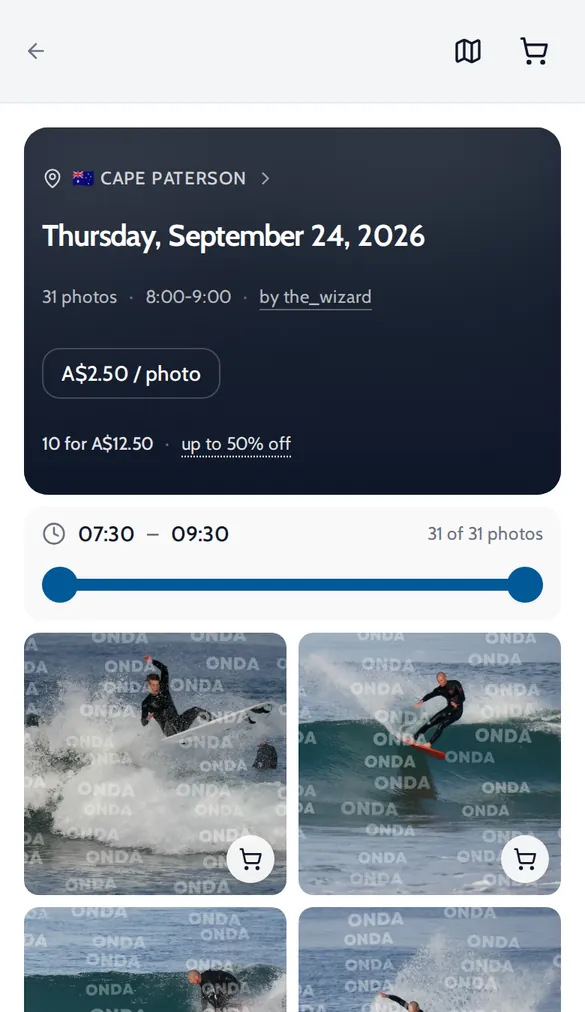
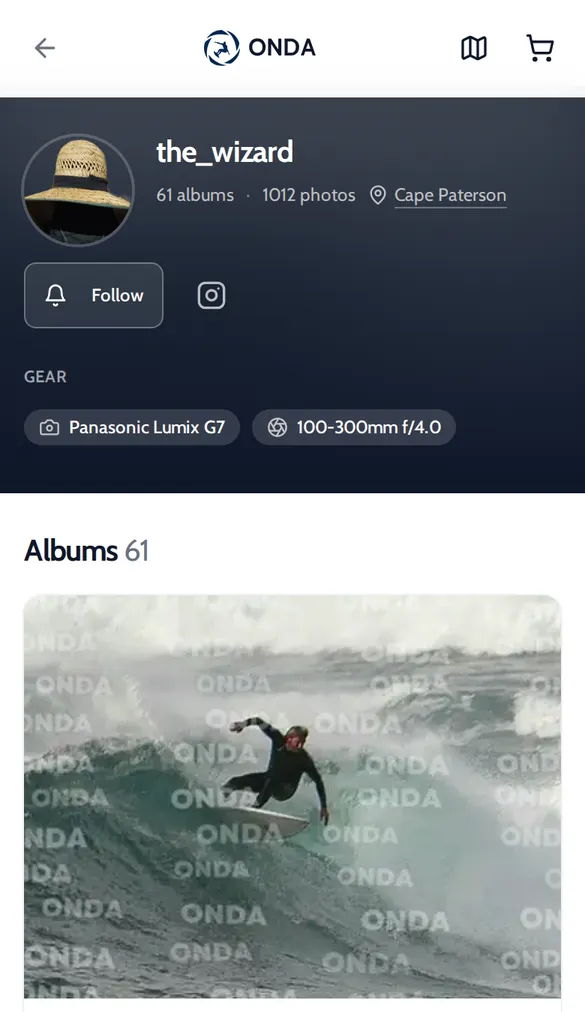
That's the shape of a marketplace listing. On Onda, every album belongs to a photographer account and is filed under the spot and the date it was shot, alongside the rest of that session. You can see who shot it, where, and when, and you can ask them for the original file.
Why buying from verified marketplaces matters
Three concrete reasons not to license a random AI image off Instagram:
- Legal exposure. AI-generated images may infringe on training-data copyrights. If you license one for a commercial campaign, the original underlying rights holder might come back at you. Real photographer = clear chain of title.
- Reputation. Surf brands that have used AI imagery and been outed have taken durable hits to credibility. The audience cares.
- Quality at scale. AI images look fine in a single Instagram post and increasingly weird the larger you print them. Brands that use them on packaging or large-format ads find the artefacts magnify.
For more on the photographer side of AI risk specifically, see our companion piece on protecting your work from AI scraping.
What buying through Onda actually gives you
Onda is a marketplace for real photography by working photographers. It is worth being precise about what that does and does not mean, because "verified" is a word this industry uses loosely.
What it gives you:
- A named seller. Every album belongs to a photographer account with an email-confirmed address and a public profile. It is not an anonymous upload feed.
- Session context. Albums are filed by spot and shooting date, with the rest of the session alongside. A single generated image has no session behind it; a real shoot does.
- A person you can ask. Because the photographer is identified, you can request the original file — the request an AI publisher cannot satisfy.
What it does not give you: Onda does not currently run automated AI-detection on uploads, and does not surface EXIF to buyers on the listing. Do the seven-point check yourself on anything you are licensing commercially, wherever you buy it.
What to do if you bought a fake
If you purchased an AI image believing it was real:
- Stop using it immediately if it's in active commercial deployment
- Document the listing (screenshots, URLs, transaction records)
- Contact the platform you bought from for refund and removal
- If you used it commercially, consult a lawyer about your exposure
FAQ
Will AI eventually be undetectable? For casual viewing, probably yes within 2–3 years. For technical analysis (EXIF, water physics simulation, brand-graphic verification), the gap will likely persist longer because real-world physics is harder to fake than aesthetics.
What if I generated AI surf images for fun and want to disclose? Tag them clearly (AI-generated, AI art, generated, not a real photo). Don't tag them as photographed at a real spot. Be honest in the caption.
How much of social media surf content is AI in 2026? We don't have a precise number. Anecdotally, on Instagram and TikTok with the surf hashtag, AI is meaningful but not majority — still under 20%. The percentage is rising fast.
Does Onda allow AI-generated images? No. Onda is a marketplace for real photography by real photographers. AI-generated content does not belong there and is removed when found.
How do I report a suspected fake on Onda? Email [email protected] with the listing URL — the "Report a Photo" link in the site footer goes to the same place. Reports are read by a person.
The harder it gets to tell real from generated, the more valuable verified real photography becomes. Buyers, brands, and audiences are starting to feel that. Photographers who can prove their work is real — through metadata, marketplace history, and the details fakes still miss — have a durable advantage.